
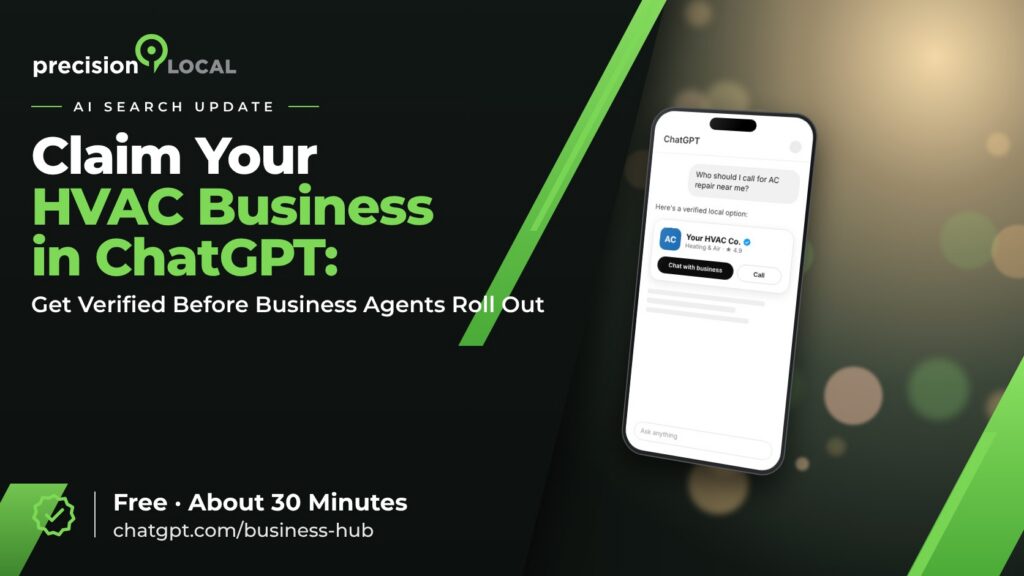
Homeowners are already asking ChatGPT who to call when their AC quits. Now OpenAI lets you claim your business profile so the answer they get comes from you.
On November 10, 2026, OpenAI launched Businesses in ChatGPT in beta. The centerpiece is Business Hub, a free dashboard where business owners can claim their listing, verify it, keep their information accurate, and see how often ChatGPT mentions them. Think of it as the AI-search equivalent of your Google Business Profile, and just like with Google, the companies that claim early get to control the story.
Below is exactly how to claim your HVAC company’s profile, what you get for it, and how to get ready for the new Business Agent that’s on the way.
The Short Version
Go to chatgpt.com/business-hub, find your business, verify it with a DNS record on your website’s domain, then verify your identity with a government-issued ID. It’s free and takes about 30 minutes.
What You Get When You Claim Your Profile
- A blue check. Homeowners see that the listing is claimed by the actual business, not pieced together from third-party sites.
- Control of your information. Once you’re verified, you can update your services, hours, contact details and other key facts ChatGPT uses about you.
- Visibility data. Business Hub shows aggregated insights like how often ChatGPT mentions your company, profile views and website clicks.
- Access to a Business Agent (coming soon for HVAC). An AI assistant that answers customer questions on your behalf, using information you provide.
A quick reality check: claiming your profile doesn’t push you higher in ChatGPT’s answers. What it does is make sure the information ChatGPT shares about your company is accurate, current and controlled by you, and it puts you first in line for the tools OpenAI is rolling out next.
Before You Start
Have these four things ready and the whole process goes quickly:
- A ChatGPT login your company owns. Use a company email, not a technician’s personal account or a vendor’s login. Whoever controls this account controls the profile.
- Access to your DNS provider. That’s usually GoDaddy, Cloudflare, Network Solutions or your web host. If your website vendor manages it, loop them in before you start.
- A government-issued ID for the owner or authorized representative.
- Consistent business info. Your business name, address and phone number should match your Google Business Profile exactly.
How to Claim Your HVAC Business in ChatGPT: Step by Step
We walked through the process ourselves. Here’s what each screen looks like (shown with PrecisionLocal as the example business).
Step 1: Find your business
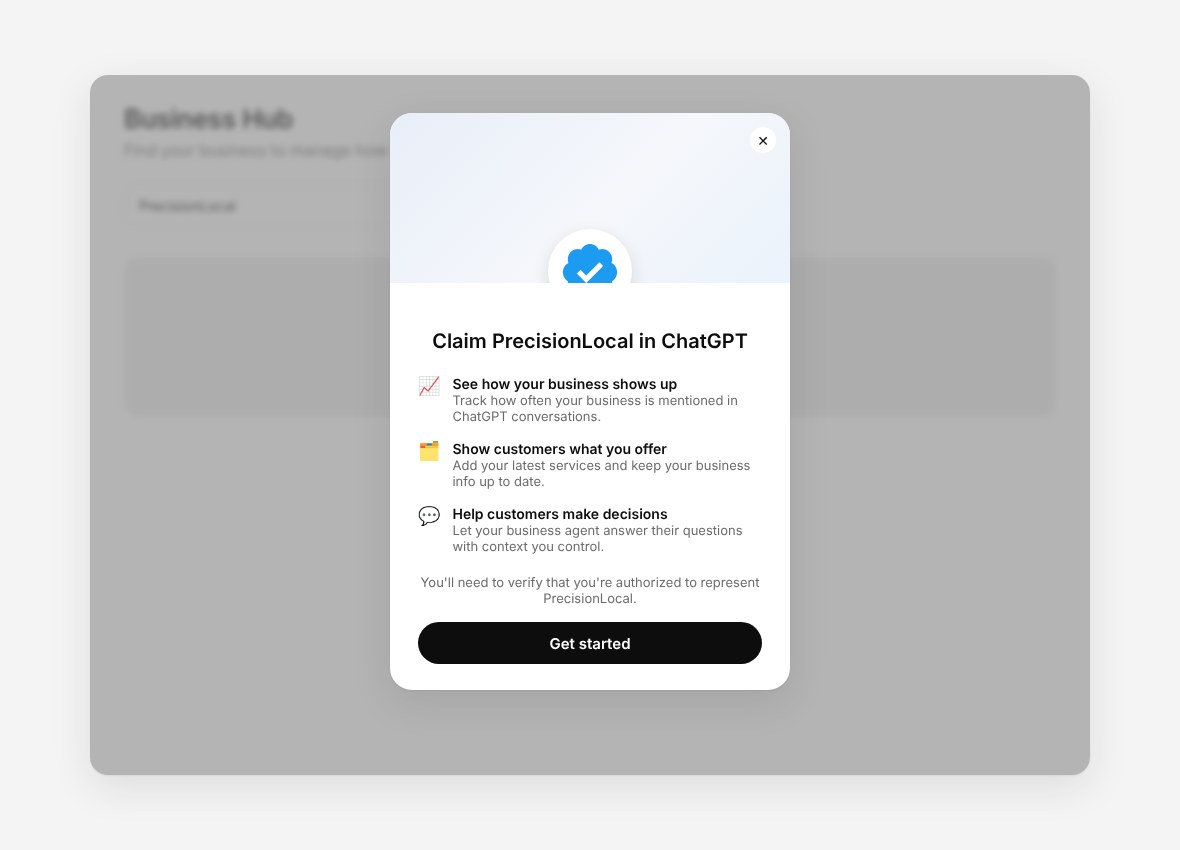
Sign in to ChatGPT and go to chatgpt.com/business-hub (you can also open Business Hub from the ChatGPT sidebar). Search for your company name, select the correct listing and click Get started.
Step 2: Confirm your account and listing
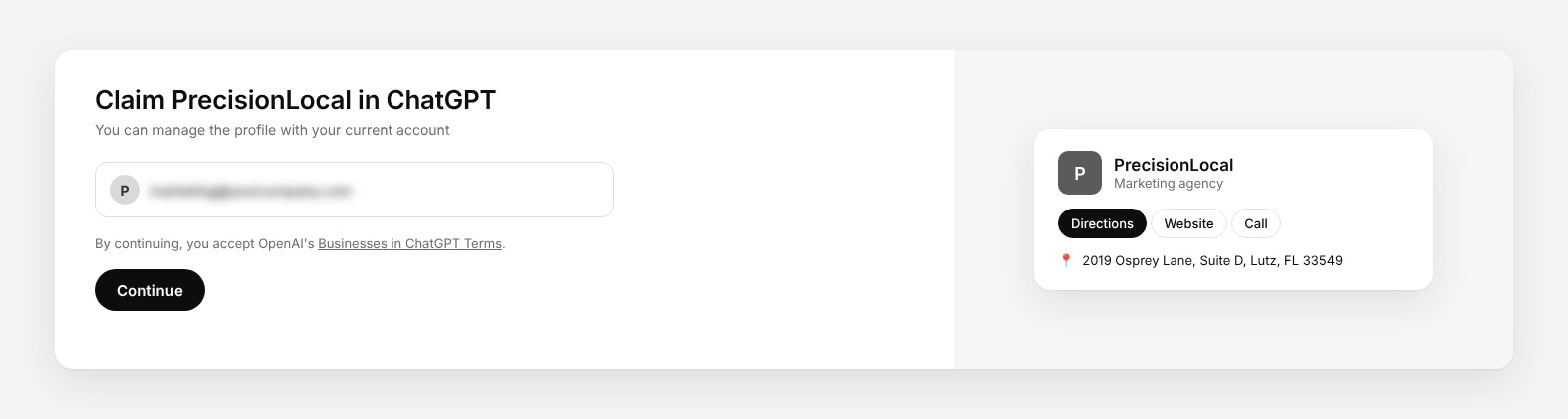
Check that the account and the business address are correct, then click Continue. Remember, the account that claims the profile controls it, so use one your business will keep for years.
Step 3: Choose “Website domain” to verify
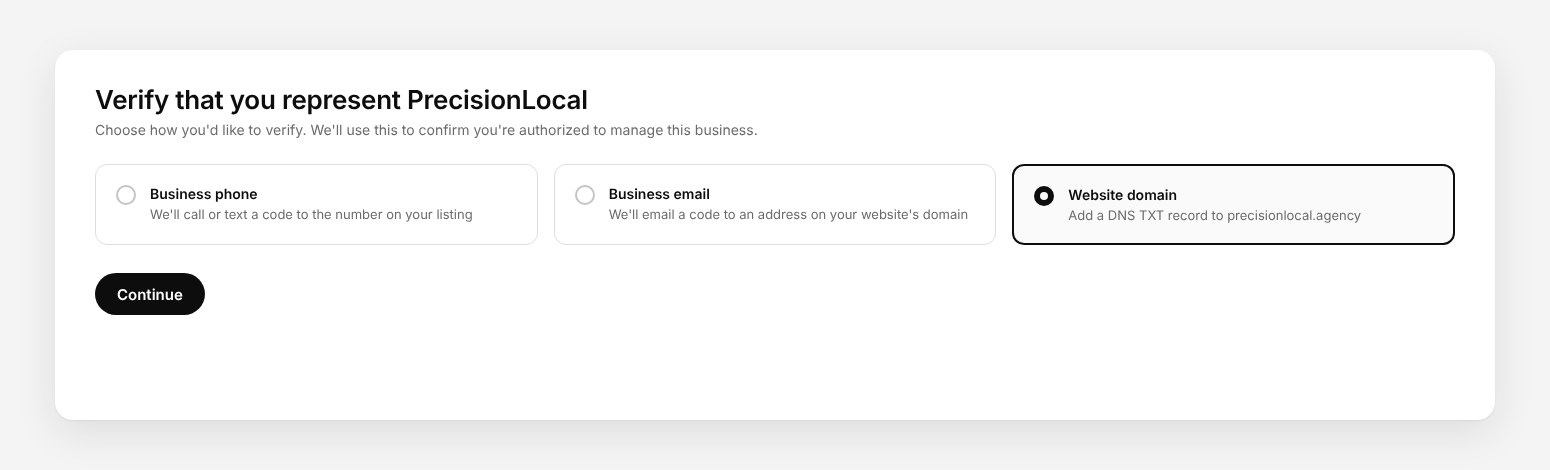
You’ll see a few verification options. We recommend Website domain. Many HVAC companies use call tracking numbers or an answering service, and those can swallow the phone verification code before it ever reaches you.
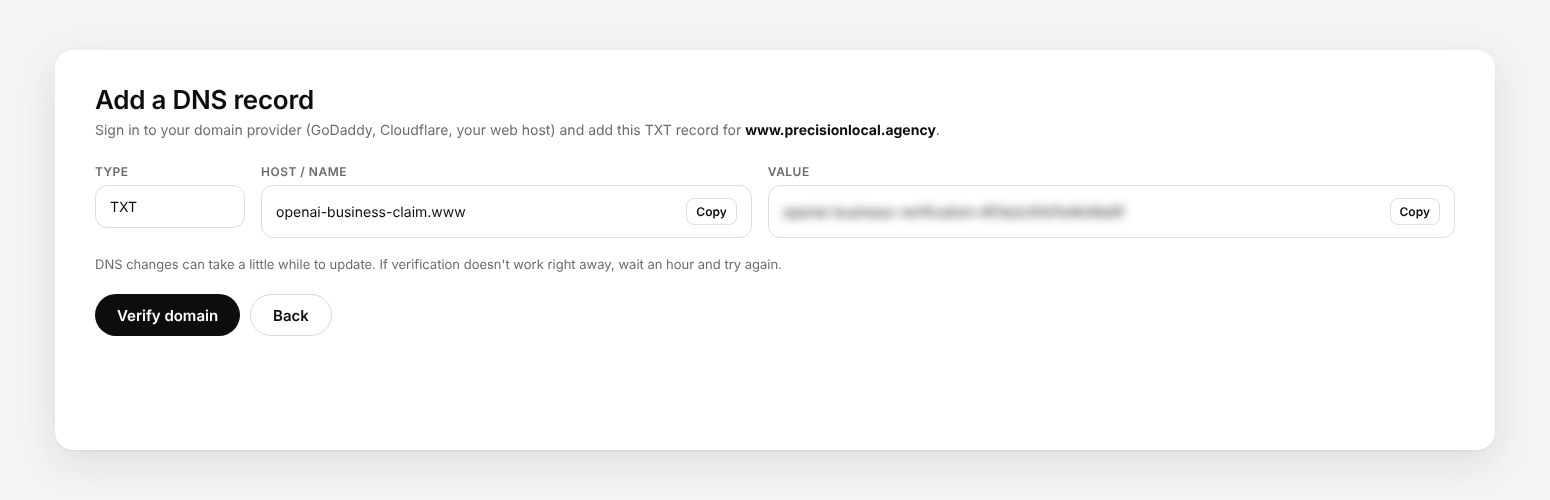
Step 4: Add the DNS record
ChatGPT gives you a TXT record with a host (an openai-business-claim subdomain of your www address) and a verification value. Log in to your DNS provider, add the record exactly as shown, then come back and click Verify domain. Ours verified in under 30 minutes. If yours doesn’t go through right away, wait an hour and try again; DNS changes can take a little time to update.
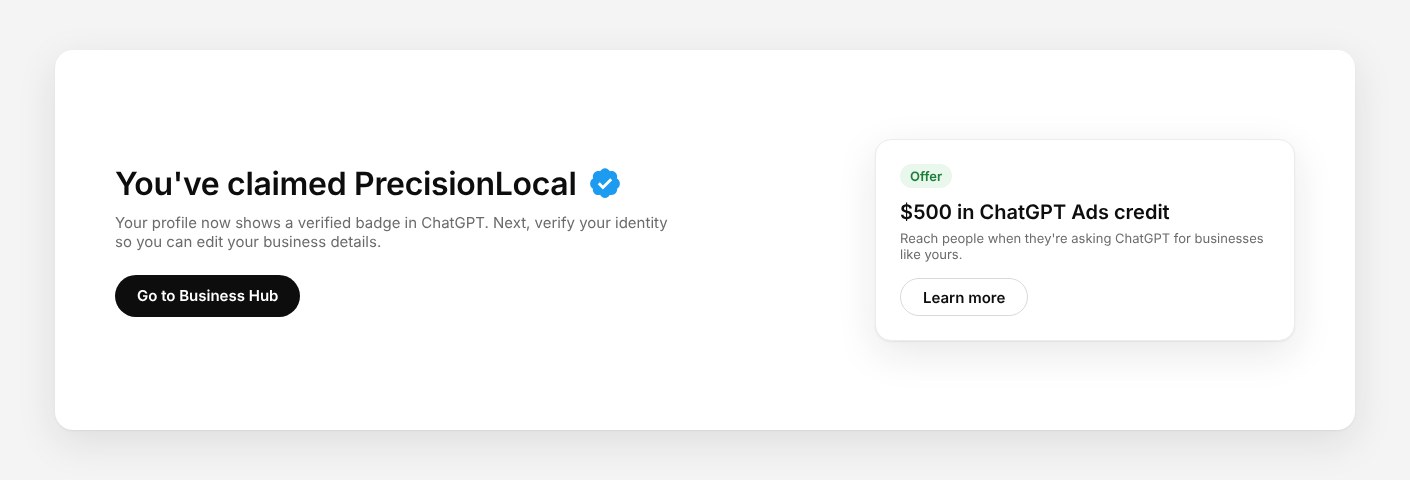
Step 5: Look for the blue check
Once your domain is verified, you’ll see the confirmation screen with the blue check. OpenAI may also offer you a ChatGPT Ads credit (we were offered $500). Before you spend it, make sure call tracking is in place so you can tie any calls back to the ad.
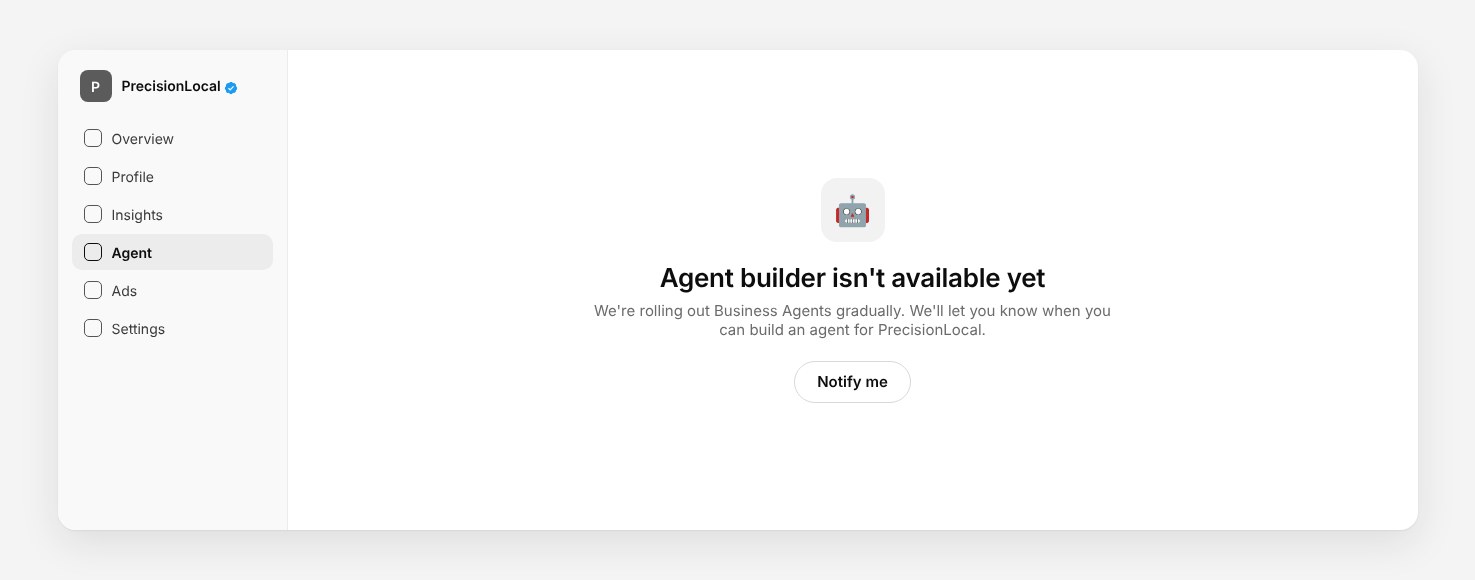
Step 6: Check the Agent builder
Click into the Agent section. For now, most HVAC companies will see a message that the Agent builder isn’t available yet. OpenAI is rolling Business Agents out gradually, starting with eligible U.S. e-commerce and online service businesses. Don’t worry, there’s prep work you can do now (more on that below).
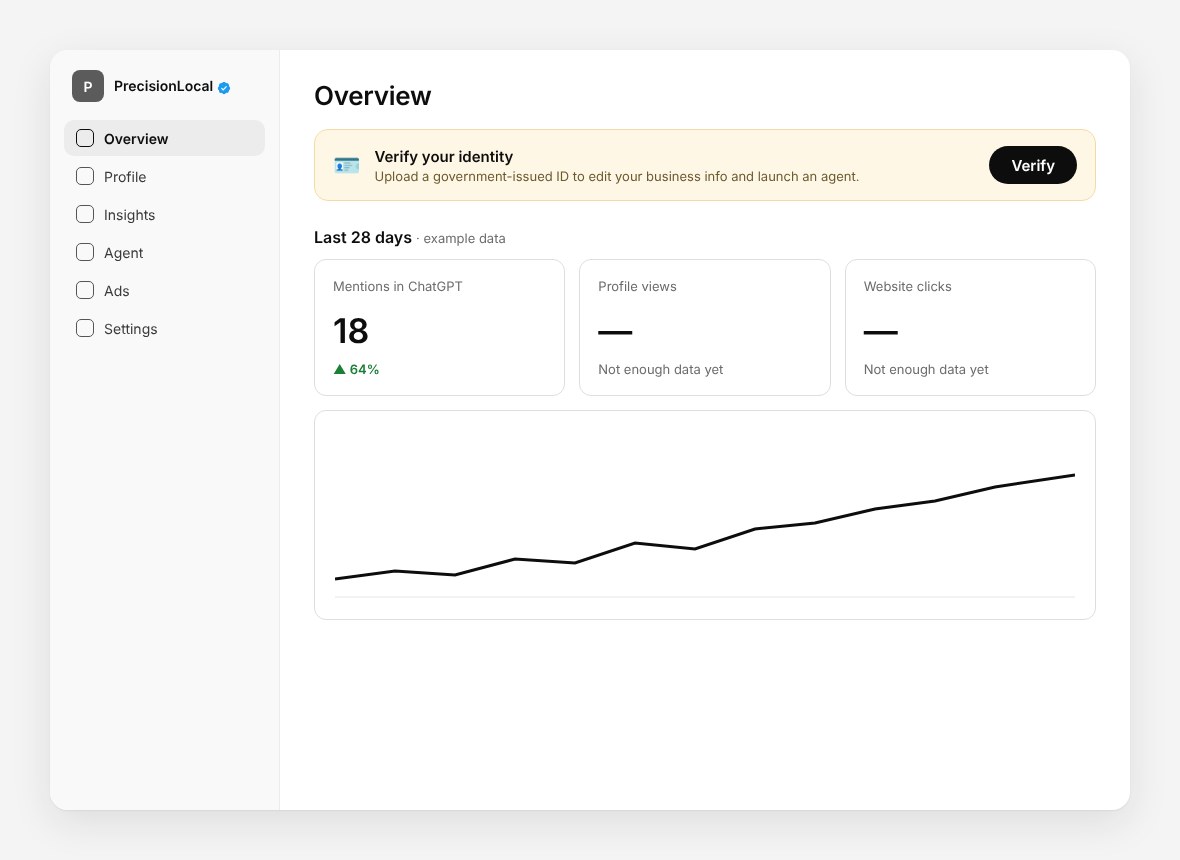
Step 7: Verify your identity
On the Overview page, click Verify and upload a government-issued ID. Don’t skip this step. Until your ID is verified, you can’t edit your business information or launch an agent. Once you’re verified, your Overview page becomes a dashboard showing how often ChatGPT mentions your business and how people are engaging with your profile.
What Is the ChatGPT Business Agent, and Why Should HVAC Companies Care?
A Business Agent is an AI assistant that represents your company inside ChatGPT. When a homeowner finds your business in a ChatGPT answer, they can open your profile and start a conversation with your agent, which is clearly labeled as your business’s agent and kept separate from ChatGPT’s own independent answers.
For an HVAC company, that could mean:
- After-hours answers. A homeowner researching at 10 p.m. can learn whether you service their ZIP code, offer emergency service or carry the brand they want, without waiting for the office to open.
- Better-qualified calls. Customers arrive already knowing your service area, hours, financing options and maintenance plans, so your CSRs spend less time on basic questions and more time booking jobs.
- Consistent, accurate information. The agent answers from the facts you supply, not from outdated directory listings or a competitor’s comparison page.
- A destination for ChatGPT Ads. OpenAI lets businesses sponsor their Business Agent as the landing spot for ChatGPT ads, with sponsored placements clearly labeled.
Business Agents aren’t open to HVAC companies yet, but when they are, your agent will only be as good as the information you give it. Start building that information now.
Get Your Business Agent Info Ready
Create one document that covers:
- Services you offer and the equipment brands you install
- Cities and ZIP codes you serve
- Business hours and your emergency or after-hours service policy
- Financing options and maintenance plan details
- Service call fees, diagnostic fees and warranties
- What the agent should never quote, like system replacement prices that require an in-home visit
Having this ready means you can launch your agent the day it becomes available, while your competitors are still hunting for their DNS login.
Need Help Getting Found in AI Search?
Claiming your ChatGPT profile is one piece of a bigger shift in how homeowners find HVAC contractors. AI tools like ChatGPT pull from your website, reviews, listings and everything else they can find about you, and consistency across all of it matters.
PrecisionLocal helps HVAC dealers make sure their business shows up accurately everywhere homeowners are searching, from Google to ChatGPT. If you’d like a hand claiming your profile or want to know how your business currently appears in AI search, talk to our team or call us at 813-742-8563.